TeleMost Screen Sharing: Share Your Desktop During WebRTC Conferences
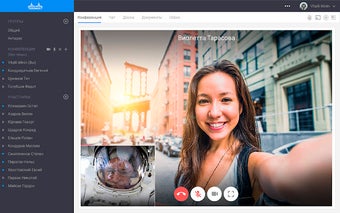
TeleMost Screen Sharing is a Chrome extension developed by TeleMost that allows users to showcase their desktop during WebRTC conferences. With this extension, participants in a video conference can not only see the entire desktop area but also any application that is currently running.
To start sharing your desktop from the Google Chrome browser, simply click on the "Share Desktop" icon. You can then choose the desired viewing area (either the entire screen or a specific application) and the quality of the transmission. Once you've made your selections, click "Start Sharing" to begin the broadcast.
If the extension is not installed, the browser will prompt you to download and install it. Once installed, you can start using the application without having to restart your browser.
TeleMost Screen Sharing is a convenient tool for those who need to share their desktop during WebRTC conferences. It provides a seamless way to showcase your work and collaborate with others remotely.